
ESPACIO PARA LA CONVIVENCIA
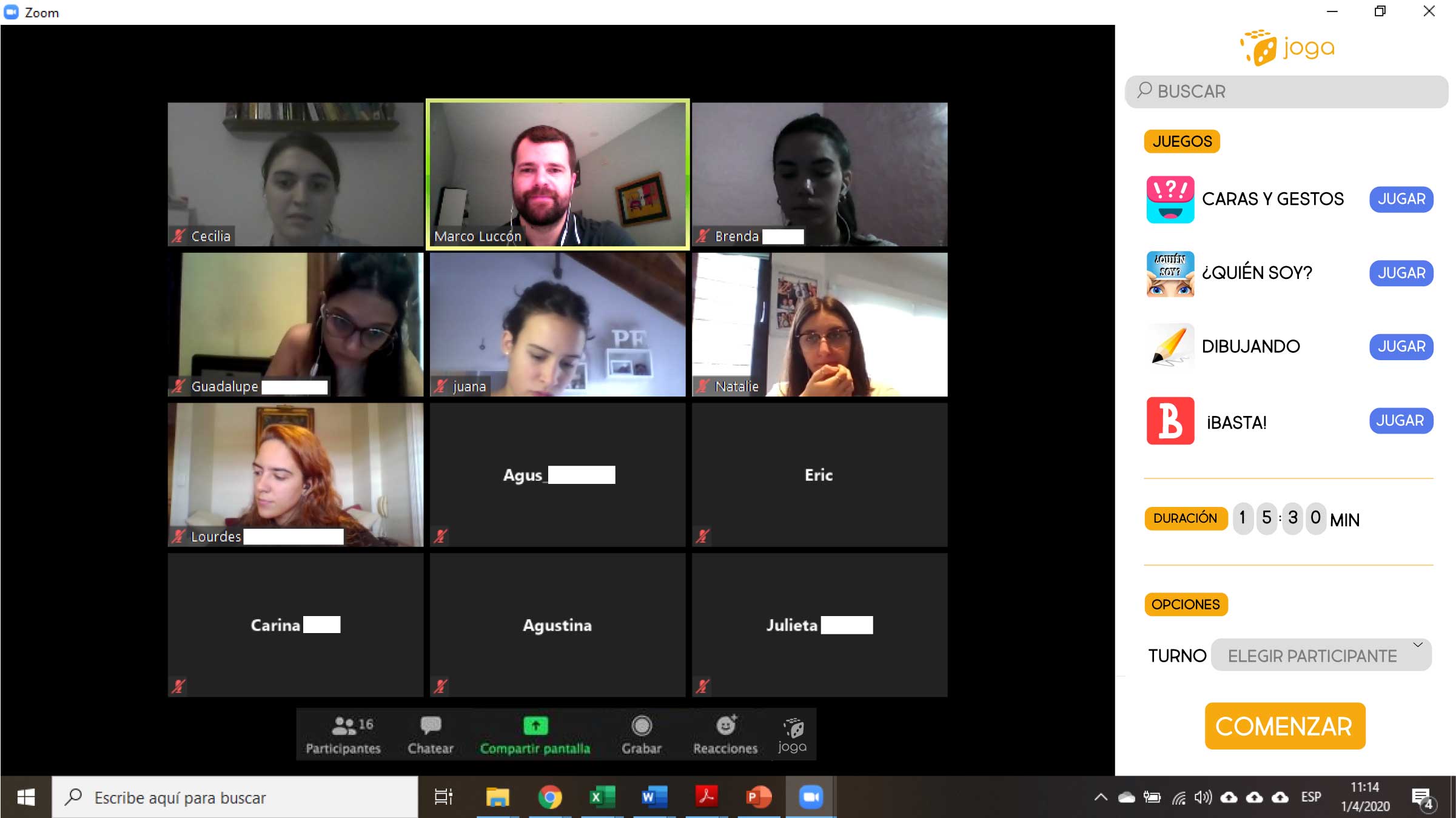
Bienvenidos a JogaEsta extensión permitirá a los maestros abrir un espacio de recreación para los niños, en donde ellos podrán tener el acceso a diferentes juegos interactivos, en donde podrán convivir junto con sus compañeros durante su hora de recreo.
¿Cómo se instala?
- Abre Chrome Web Store.
- Busca y selecciona la extensión de Joga.
- Haz clic en Agregar a Chrome.
En la esquina superior derecha de la barra de herramientas del navegador, haz clic en el icono del menú de Chrome. Selecciona Más herramientas > Extensiones. Para activar una extensión, solo tienes que seleccionar esta casilla.
Joga
Mission
La extensión será principalmente para los profesores que podrán adaptar y moderar el tiempo, elegir el juego y definir el grupo de alumnos que podrá jugar. La extensión será compatible para dispositivos electrónicos como computadoras, tabletas y celulares, por lo que se adaptará dependiendo al tamaño de la pantalla en la que se presente. La extensión está hecha principalmente para alumnos y profesores, pero podrá ser utilizada por cualquier persona que tenga acceso a las aplicaciones de comunicación digital.
«El arte del descanso es una parte del arte de trabajar.»
– John Steinbeck

Our School
Facilities and Organizations
Lorem ipsum dolor sit amet, consectetur adipiscing elit. In sagittis, urna eu convallis pulvinar, urna enim mollis magna, eget dictum lorem quam eget leo. In non arcu tempor, placerat quam sed, luctus est. Fusce ac eleifend leo. Praesent nec mattis augue.
PTA Organization
Lorem ipsum dolor sit amet, consectetur adipiscing elit. In sagittis, urna eu convallis pulvinar, urna enim mollis magna, eget dictum lorem quam eget leo. In non arcu tempor, placerat quam sed, luctus est. Fusce ac eleifend leo.
Hi, this is a comment.
To get started with moderating, editing, and deleting comments, please visit the Comments screen in the dashboard.
Commenter avatars come from Gravatar.